
The latest round of improvements are live, with several new critical features worth highlighting.
Dark Mode!
The entire application now supports a sleek dark mode, making it easier on the eyes for those late-night trading sessions. Fully refined with automatic theme selection from your OS preferences.
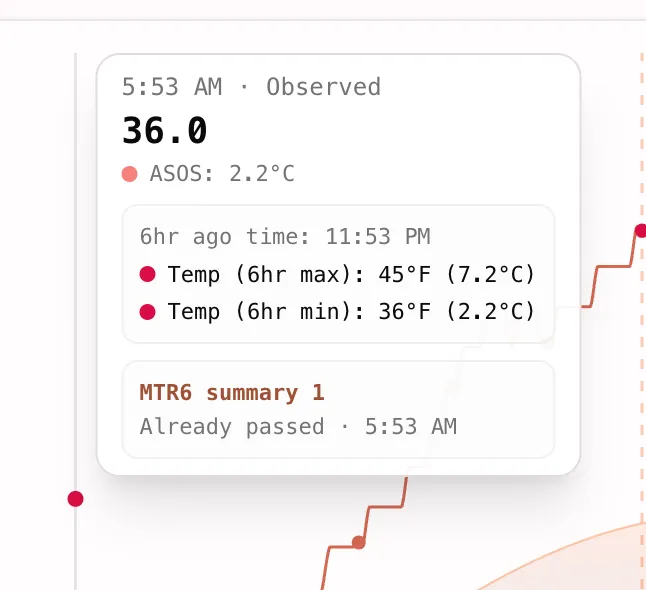
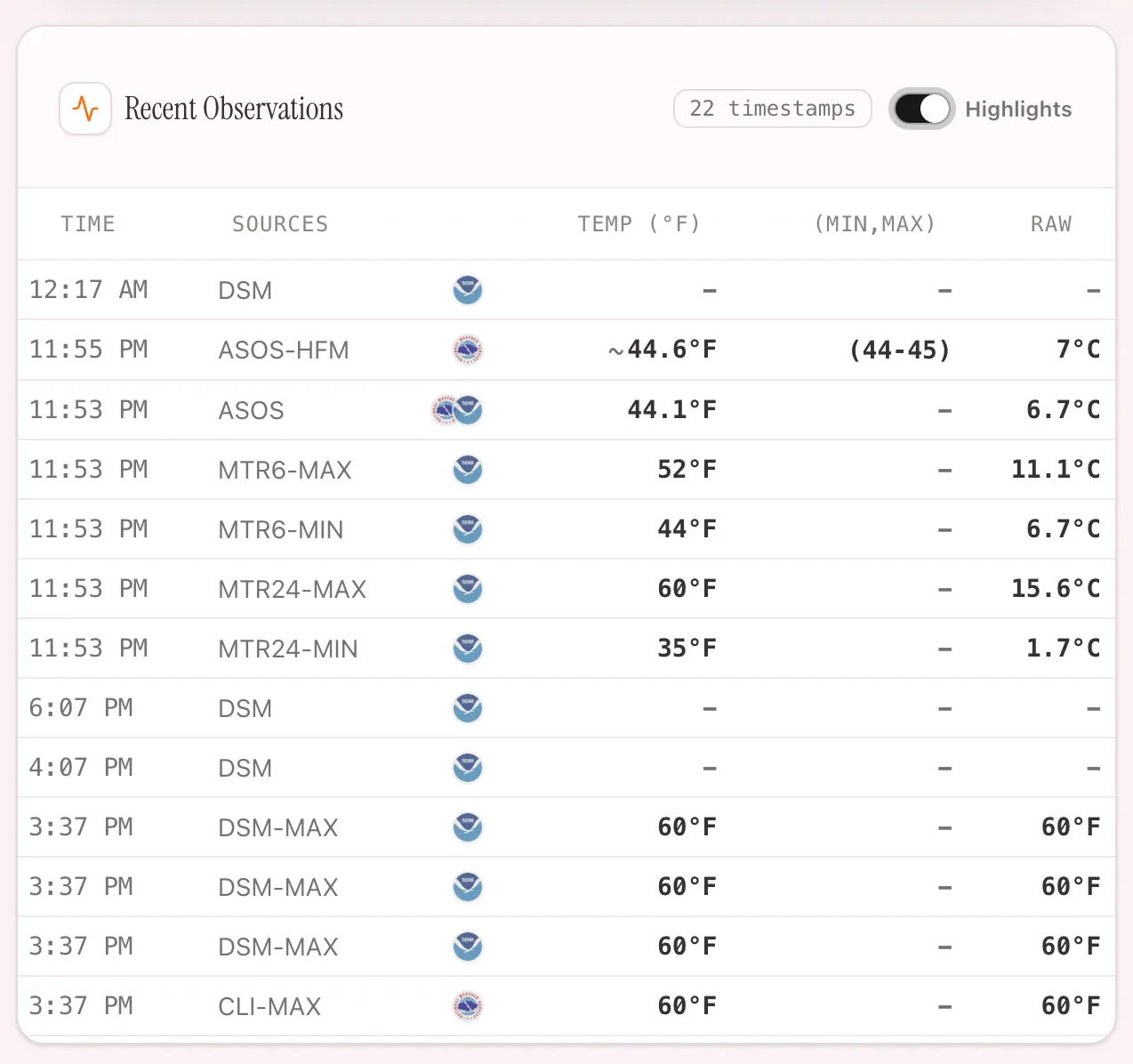
Daily Summaries, METAR (6/24hr) Summaries, and CLI Points
For temperature data, the graph and list of observations are now fully complete with all possible available data specific to a single station.
- DSMs and CLI points where a time is available are shown in the temperature line.
- METAR summary points and other points where a specific time is not available are shown with a separate “Summary” color. This is to highlight the specific nature of these observations, that a temperature was observed and reported within a specific time window, but the exact time is not given. In the case of MTR6 and MTR24 observations, you’ll see the time window start (6 hours ago, etc.).
Indicators of Upcoming Events (Early Supporter Only)
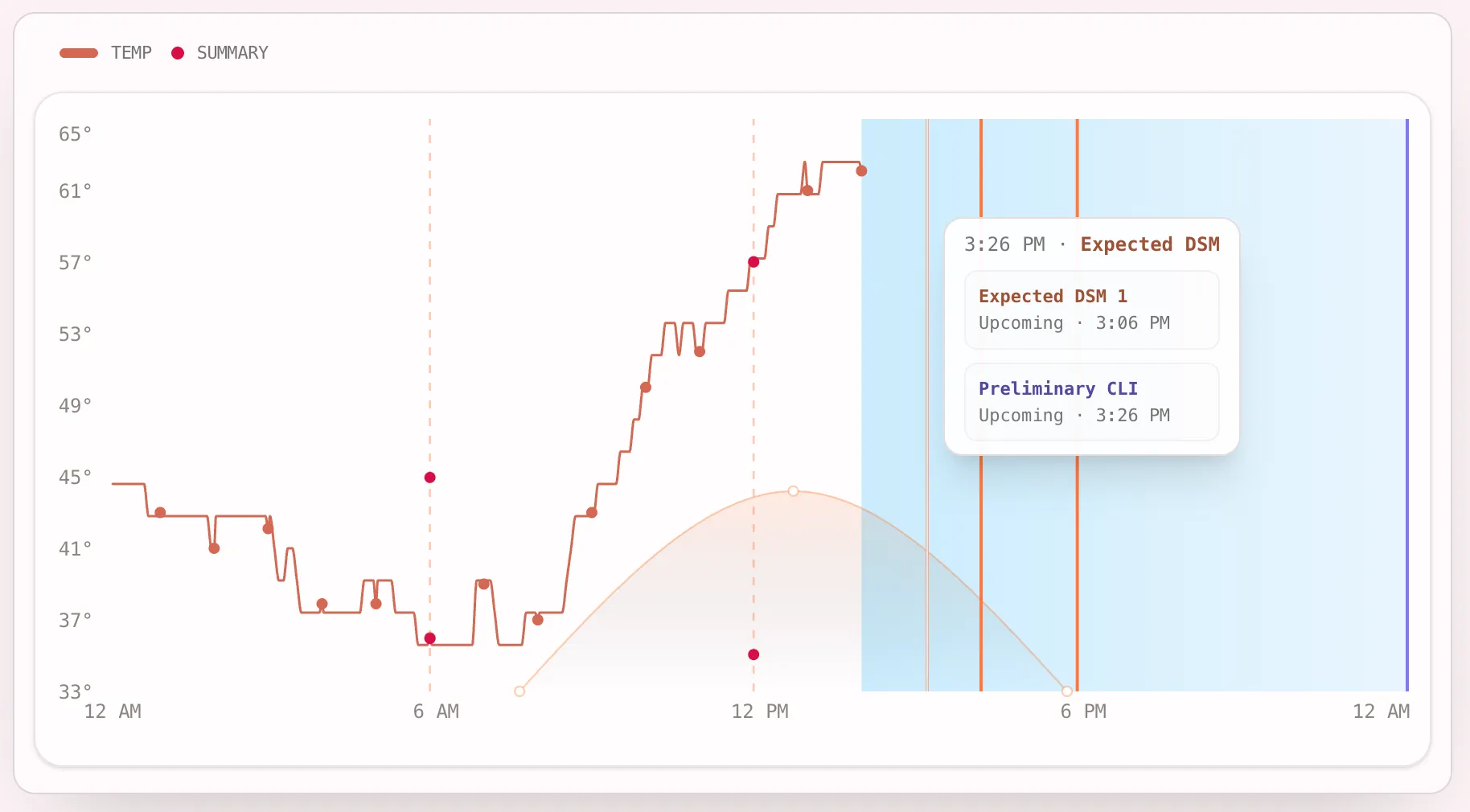
DSMs (Daily Summary Messages) in particular can quickly shift the market. You’ll now see various bars on the screen indicating a summary product’s statistically most likely issuance time based on historical data for that station.
Actual issuance times can vary, so the likely earlier time is chosen to give you some advance warning of when it may release.
CLIs Correctly Shown
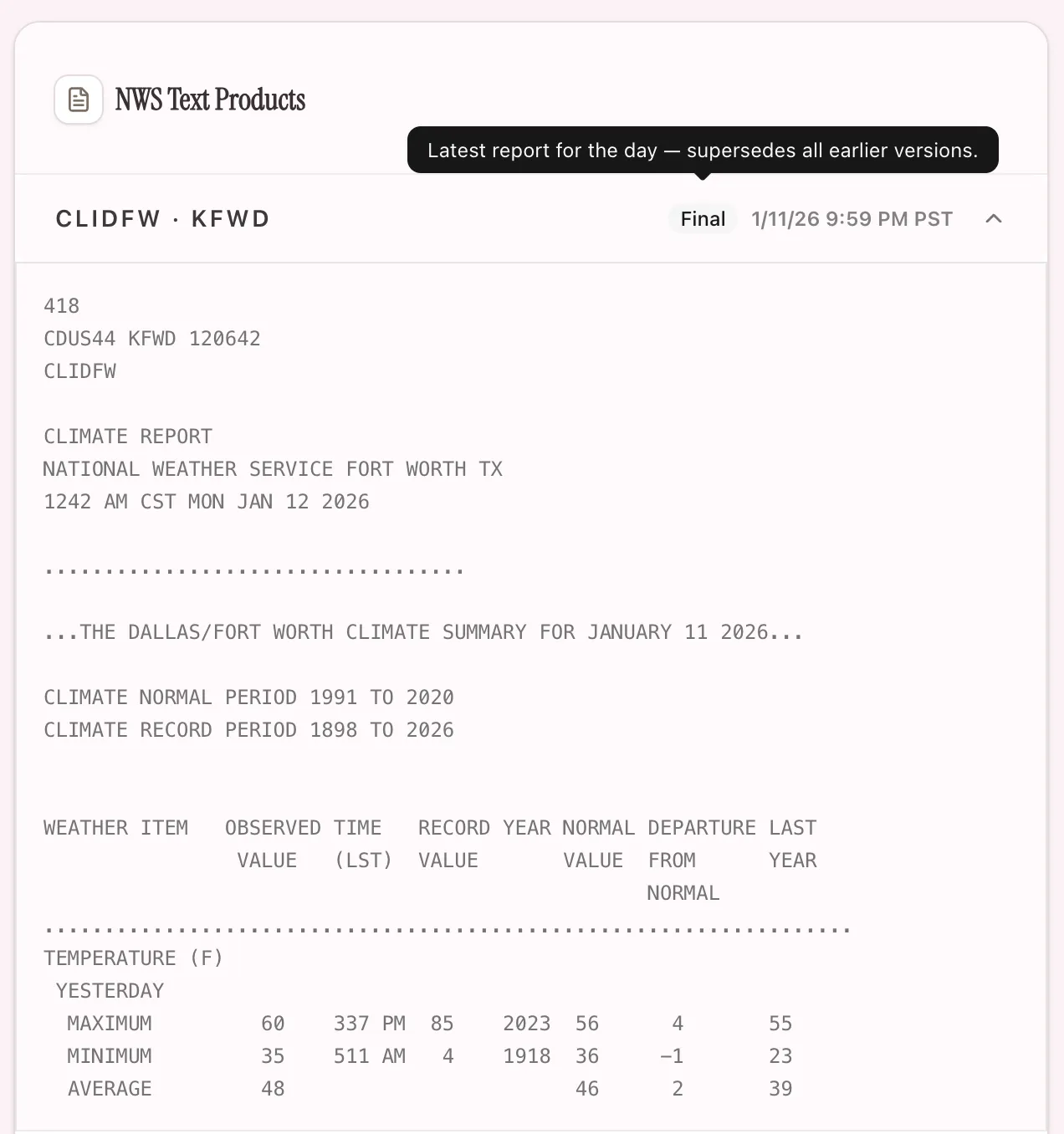
CLIs (Daily Climatological Reports) are now correctly shown on the day they refer to specifically. You’ll now see the Final CLI for that day when issued, as well as any Intraday CLIs.
Highlights Switch
A new highlights switch is shown on the observations list. This will mainly filter redundant data and show:
- All highs and lows
- Summary points (DSM, etc.)
- The most recent data from the feed
Mobile Usability Improvements
A number of usability improvements were pushed out for mobile that should make it a lot easier to navigate a market page quickly.
- Data is compressed in the width more for mobile view for compactness
Support for Interactive Broker
Now exchanges that Interactive Broker ForecastTrader supports specifically for temperature, are shown in addition to other exchanges.
Next steps
Continue from this post into live markets, tools, and deeper guides.